 Custom API integration
Build dashboards from any API, JSON endpoint, or internal service
Connect HTTP APIs to Chartbrew and turn endpoint responses, headers, authentication, variables, pagination, nested JSON, and joined datasets into live reporting dashboards.
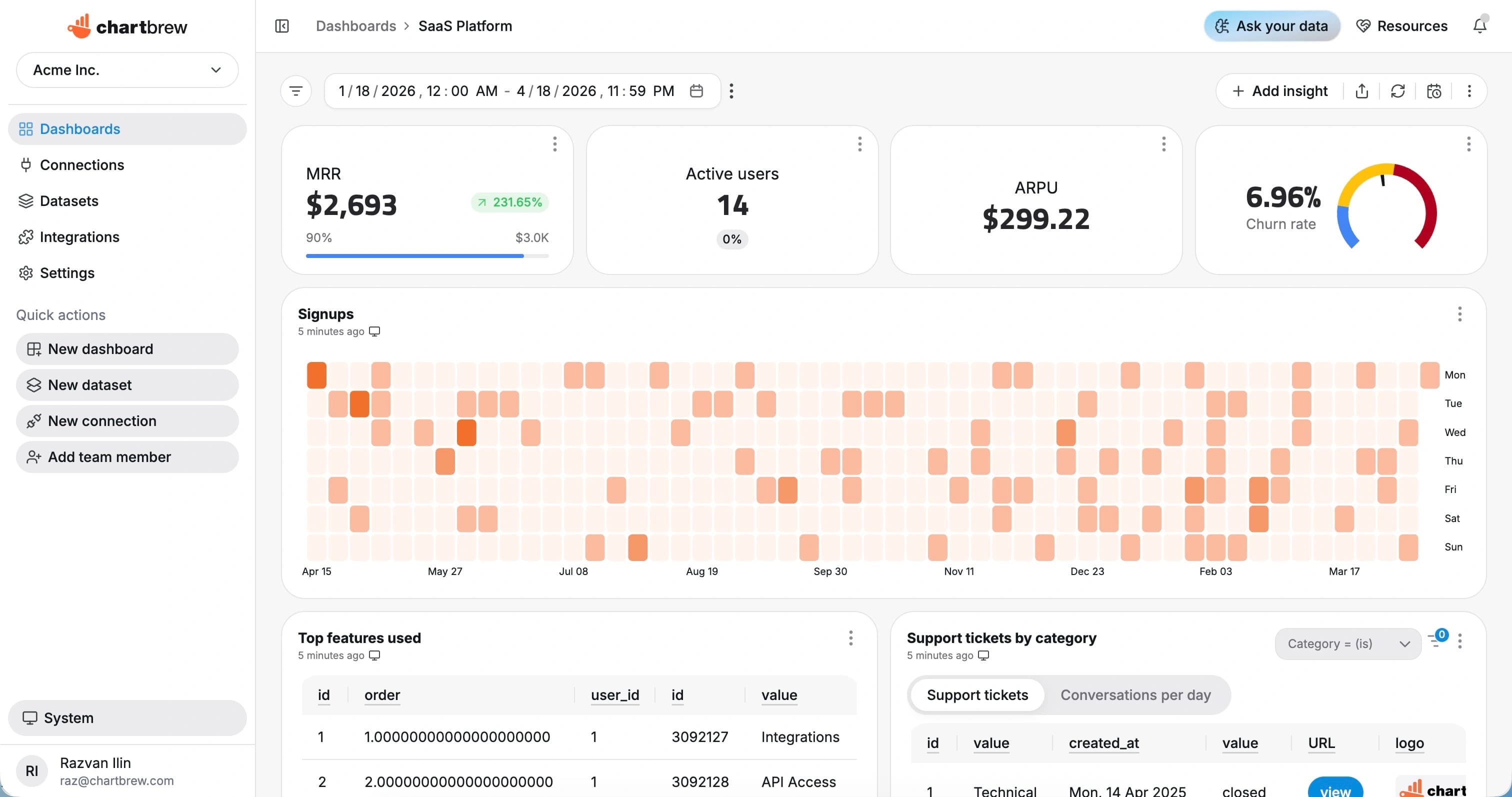
What You Can Track
API metrics for custom products, internal tools, and partner data
Use Chartbrew when the reporting data you need lives behind your own API, a partner endpoint, or a service that returns structured JSON.
Endpoint totals
Turn API response counts, sums, and fields into KPI cards for reporting.
Time-series activity
Chart created, updated, completed, or processed records over date fields.
Status breakdowns
Group API records by status, category, stage, region, customer, or owner.
Paginated datasets
Use pagination support to report on larger API collections without manual exports.
Authenticated sources
Connect APIs that use bearer tokens, basic auth, custom headers, or no auth.
Joined reporting
Join API datasets with databases, analytics tools, and other Chartbrew sources.
How It Works
From API connection to live dashboard
The API workflow is built around a source connection, reusable datasets, scheduled refreshes, and shareable dashboards.
Connect your API
Add the endpoint URL, authentication mode, headers, variables, and pagination settings.
Choose the reporting scope
Choose the endpoint, response fields, filters, parameters, and date range that should become a reusable dataset.
Create datasets
Turn the response fields you need into KPI, chart, and table datasets with filters and date ranges.
Share live reporting
Publish dashboards, embed reports, or send scheduled snapshots so reporting stays repeatable.
Why Chartbrew for API
A flexible dashboard layer for API-first reporting
Chartbrew helps teams report on custom API data without building a bespoke analytics UI for every internal service.
Flexible authentication
Use no auth, basic auth, bearer tokens, or custom headers to connect REST-like endpoints.
Variables and pagination
Parameterize API requests and page through larger result sets for reusable reporting datasets.
AI-assisted dataset planning
Use Chartbrew AI to reason about endpoint fields and dashboard ideas faster.
Cross-source dashboards
Combine API responses with SQL databases, marketing analytics, product data, and revenue sources.
Scheduled refreshes
Refresh API datasets on a schedule so dashboards stay current.
Embeds and snapshots
Share API dashboards through embedded reports, public links, or scheduled snapshots.
Setup Requirements
What you need before connecting API
Start with the right API access, a clear reporting scope, and a few fields that map to useful dashboard metrics.
An API endpoint that returns structured JSON data
Authentication details, such as bearer token, basic auth, or custom headers
Any required query parameters, path variables, or request headers
Pagination details if the endpoint returns multiple pages
Response fields that map clearly to KPIs, charts, filters, or tables
| Dataset idea | What it can power |
|---|---|
| Endpoint count | Total records returned from a filtered API request |
| Records over time | Created or updated records grouped by day, week, or month |
| Status distribution | Objects grouped by status, stage, state, or category |
| Top entities | Customers, products, pages, campaigns, or accounts ranked by value |
| Recent activity table | Latest objects with useful fields and direct links |
| Error or exception list | Failed, blocked, overdue, or unhealthy records from an API |
| Paginated collection | Large API list normalized into a reusable dashboard dataset |
| Joined KPI | API metrics joined with database or analytics data inside Chartbrew |
Setup Guide
Follow the API charting tutorial
Use the tutorial to connect an endpoint, configure request details, parse API response data, and build a Chartbrew dashboard.
Related Features
Features that make API reporting useful
Use API dashboards with Chartbrew automation, AI workflows, sharing, embeds, filters, and reporting tools.
Reporting API
Use Chartbrew alongside API-driven reporting workflows when teams need dashboards and programmable access.
Webhooks
Trigger reporting workflows and keep dashboards aligned with events from the rest of your stack.
Chartbrew AI
Turn API, product, marketing, and operational questions into chart and dataset ideas faster.
Data update schedules
Keep API dashboards refreshed on the cadence your reporting workflow needs.
Dashboard snapshots
Send recurring API dashboard snapshots to stakeholders without rebuilding weekly status reports.
Embedded reports
Publish API-powered charts inside client portals, internal tools, and shared reporting pages.
Related Integrations
Connect API with the rest of your reporting stack
Blend API metrics with product, customer, revenue, analytics, project, and operational data from other Chartbrew sources.
FAQ
API integration questions
Practical details about using API data in Chartbrew dashboards.
Build your API dashboard
Turn any useful endpoint into a live dashboard
Connect an API, shape the response into reusable datasets, and share reporting without building a custom BI front end.
