 ClickHouse integration
Build ClickHouse dashboards for product events, logs, and high-volume analytics
Connect ClickHouse to Chartbrew and turn analytical tables, SQL queries, time-series events, logs, product usage, and operational metrics into live dashboards.
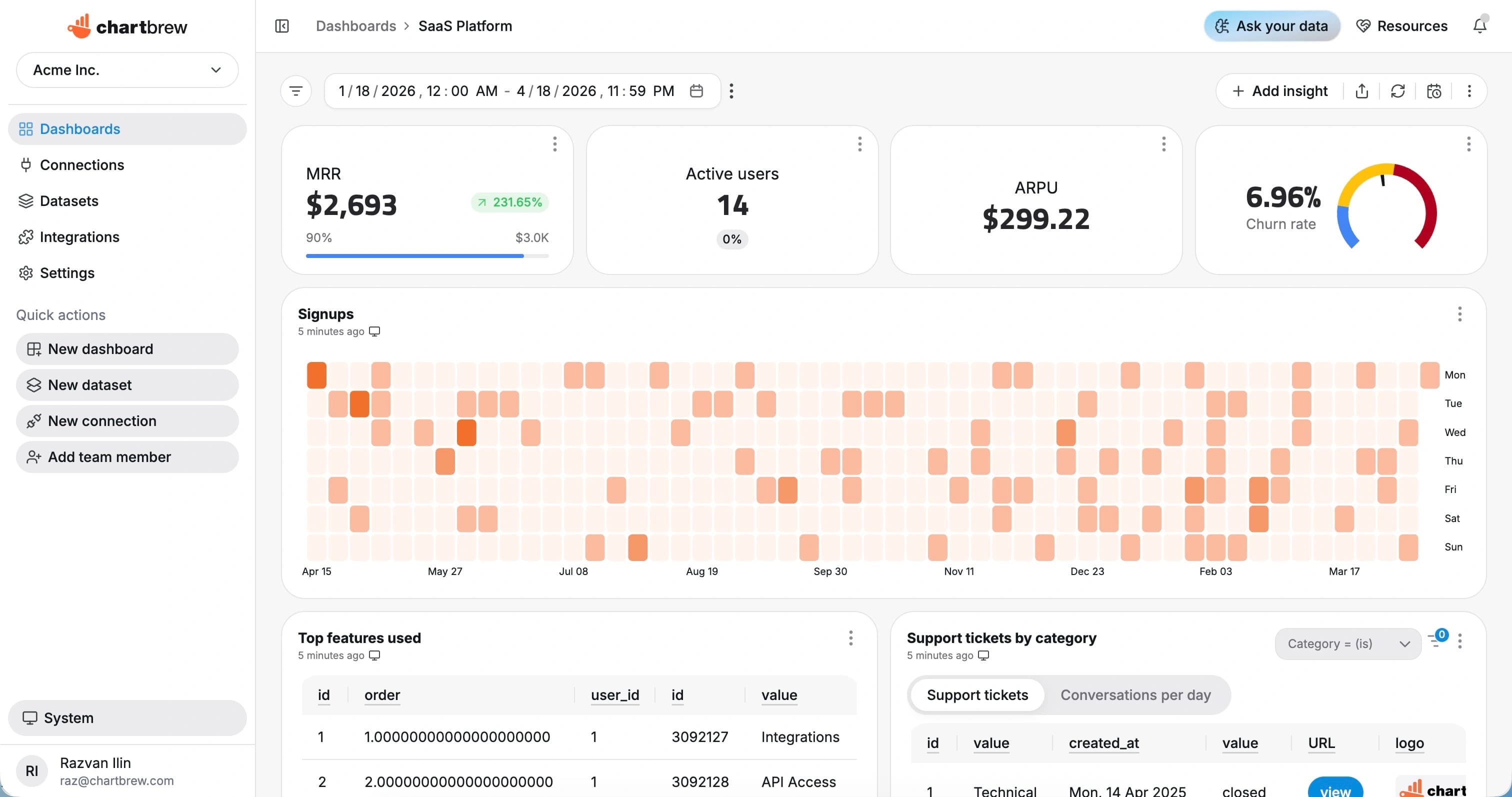
What You Can Track
ClickHouse metrics for fast analytical reporting
Use Chartbrew to visualize the high-volume event, log, and metric tables that ClickHouse is built to query quickly.
Event volume
Chart product events, log lines, or telemetry records by minute, hour, day, or week.
User behavior
Track active users, feature adoption, retention signals, and customer-level product usage.
Operational metrics
Report on latency, success rates, error classes, jobs, and infrastructure activity.
Funnels and cohorts
Use SQL to shape event data into conversion, retention, and cohort dashboards.
Top dimensions
Break down events by customer, source, endpoint, country, campaign, or custom dimension.
Live tables
Create drill-down tables for recent errors, sessions, events, and outliers.
How It Works
From ClickHouse connection to live dashboard
The ClickHouse workflow is built around a source connection, reusable datasets, scheduled refreshes, and shareable dashboards.
Connect ClickHouse
Add your ClickHouse host, database, user, password, port, and TLS settings in Chartbrew.
Inspect tables and fields
Use your schema, tables, columns, and joins to decide which reporting datasets should power the dashboard.
Build reusable datasets
Write queries for KPIs, trends, breakdowns, and tables that can be reused across dashboards and clients.
Share live reporting
Publish dashboards, embed charts, and send scheduled snapshots to keep stakeholders aligned.
Why Chartbrew for ClickHouse
Fast dashboards on top of ClickHouse analytics data
Chartbrew adds shareable dashboards, AI-assisted queries, scheduled refreshes, and embedded reports to ClickHouse-backed datasets.
Native ClickHouse connection
Use Chartbrew as a reporting layer on top of ClickHouse without exporting tables into a separate spreadsheet workflow.
Schema-aware reporting
Build datasets from tables, fields, joins, and query results so charts stay grounded in the structure of your data.
AI-assisted queries
Use Chartbrew AI to draft dataset ideas and query starting points when you want to move faster from schema to chart.
Scheduled refreshes
Keep dashboards up to date with automatic refresh schedules for daily, weekly, monthly, or operational reporting.
Secure sharing
Share dashboards, embedded reports, and snapshots without giving every stakeholder direct database access.
Multiple sources together
Place database metrics beside API, analytics, product, customer, payment, and project management data.
Setup Requirements
What you need before connecting ClickHouse
Start with the right ClickHouse access, a clear reporting scope, and a few fields that map to useful dashboard metrics.
A ClickHouse database reachable from Chartbrew
Host, port, database name, user, password, and TLS settings
A read-only user with access to reporting tables
Known event, log, or metric tables for the first datasets
Time fields and dimensions for trend charts, filters, and breakdowns
| Dataset idea | What it can power |
|---|---|
| Events over time | Event volume grouped by time bucket |
| Active users | Distinct users or accounts over daily, weekly, or monthly windows |
| Errors by type | Error events grouped by class, endpoint, or service |
| Latency percentiles | p50, p95, or p99 latency from request or job tables |
| Top customers | Accounts ranked by event volume, usage, or revenue-linked activity |
| Feature adoption | Usage events grouped by feature name |
| Recent outliers | Latest errors, slow jobs, or anomalous events |
| Funnel conversion | Step-by-step conversion from event tables |
Setup Guide
Follow the ClickHouse visualization guide
Use the walkthrough to connect ClickHouse, write the first SQL dataset, and create a dashboard for analytical data.
Related Features
Features that make ClickHouse reporting useful
Use ClickHouse dashboards with Chartbrew automation, AI workflows, sharing, embeds, filters, and reporting tools.
SQL query builder
Write, test, and reuse SQL datasets for operational charts, tables, filters, and dashboard sections.
AI SQL assistant
Ask Chartbrew to draft SQL queries and chart ideas from your schema when you need a faster starting point.
Data update schedules
Refresh database dashboards automatically so recurring reports stay current without manual exports.
Dashboard snapshots
Send scheduled dashboard snapshots to clients, operators, founders, and internal reporting channels.
Filter variables
Reuse one dashboard across customers, regions, products, statuses, date ranges, and team-specific views.
Embedded reports
Embed live database dashboards into portals, admin panels, client workspaces, or internal tools.
Related Integrations
Connect ClickHouse with the rest of your reporting stack
Blend ClickHouse metrics with product, customer, revenue, analytics, project, and operational data from other Chartbrew sources.
FAQ
ClickHouse integration questions
Practical details about using ClickHouse data in Chartbrew dashboards.
Build your ClickHouse dashboard
Turn ClickHouse analytics tables into live reporting dashboards
Connect ClickHouse, write reusable SQL datasets, and share event, log, product, and operational dashboards.
