
Data conversations in Slack
Data Conversations in Slack
Talk to all your data sources, directly in Slack
A closer look
Stop switching tools. Start having data conversations.
Turn Slack conversations into a direct line to your data.
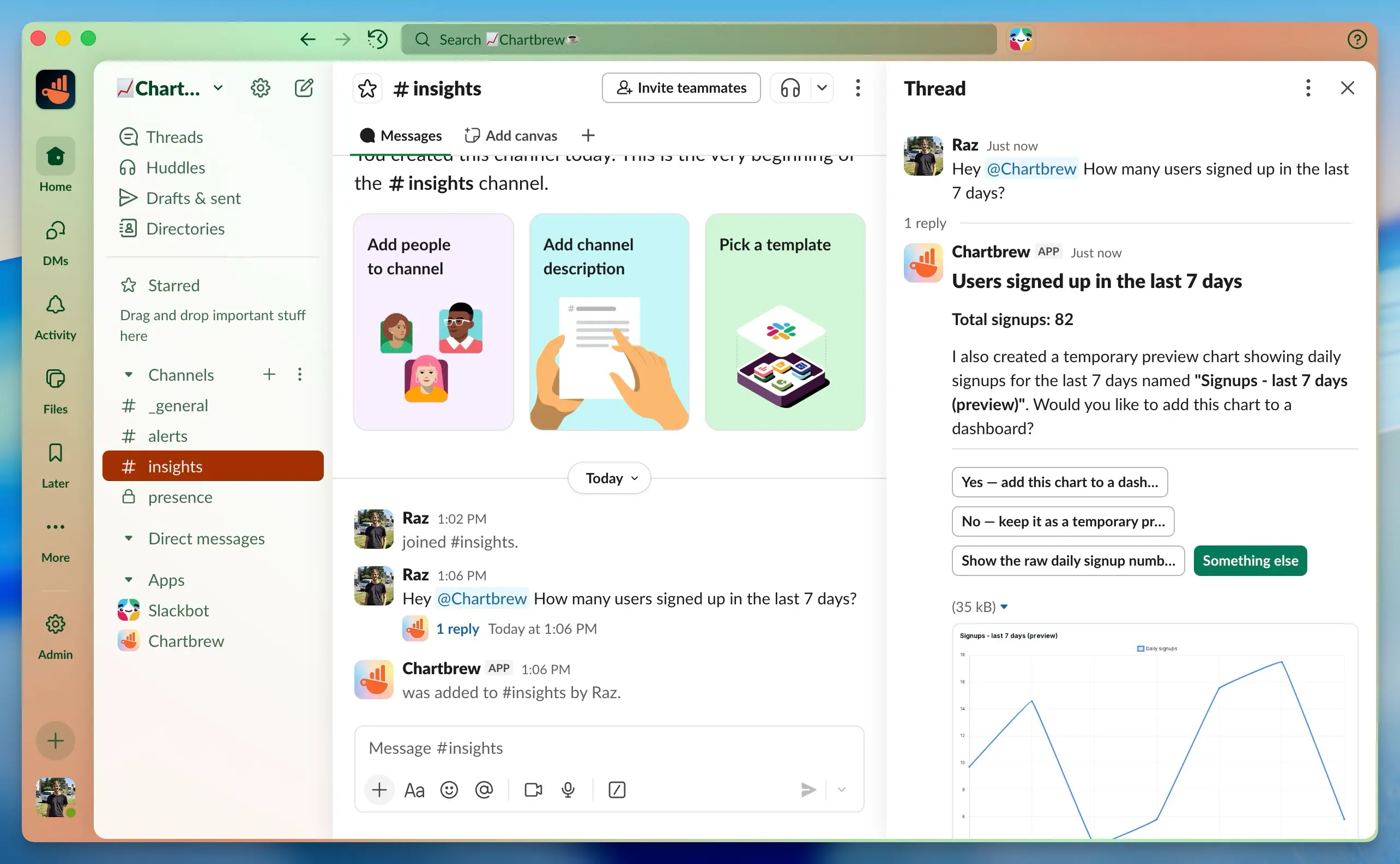
With Data Conversations, you can ask questions, explore metrics, and get insights by simply mentioning the bot in a Slack channel. Each question lives in its own thread, making it easy to follow up, stay in context, and keep channels clean.
It's not a dashboard embedded in Slack. It's a conversation with your data, where your team already works.
Made for your workflow
What you can do.
Talk to your data
Ask questions in plain language and get answers directly in Slack, no dashboards or exports required.
Built for threads
Every question runs in its own Slack thread, so discussions stay focused and don't interrupt the rest of the channel.
Context-aware follow-ups
Ask follow-up questions naturally. The conversation remembers context and continues from where you left off.
Channel-first access
Use Data Conversations only in the channels you choose. Access stays scoped and predictable.
Insights where decisions happen
Answers appear right inside Slack, making it easy for teams to react, discuss, and decide immediately.
Designed for real team workflows
No slash commands. No special syntax. Just conversations that feel native to Slack.
